Thursday, 11 February 2016

Priorities

I've fixed the top-level program flow so that game over returns to the main menu in the absence of setjmp/longjmp - not that I could get them working properly anyway.

During testing I discovered another game play bug; entering a room from an elevated arch leaves you hanging in the air unable to move. Hmm...

Most of my "Knight Lore" time today has been working on Neo Geo Z-ordering, which equates to shuffling hardware sprite priorities.

The first task was to defer actual sprite rendering and instead build a list of sprites to be wiped, and another of sprites to be rendered, for the current frame. The former list will be used when objects disappear from the screen, so I know to park the hardware sprite.

The latter list must be processed against the entire graphic object table in order to re-assign hardware sprite priorities. Here-in lies the challenge of devising an adequate algorithm.

My first algorithm produces almost perfect results; in fact I thought it was working for a while until I entered a rather crowded room and some subtle priority issues arose. After eventually resorting to pencil-and-paper I realised the flaw in the algorithm itself.

Algorithm #1 - gets it right most of the time

Back to the drawing board and I've got another algorithm in mind. It's more complicated and is going to take a bit to implement and get right. Even then, I've no proof the algorithm is correct. The problem is that debugging on the Neo Geo is particularly painful with the lack of stdout for printing debugging information, and it's not possible to debug on, for example, the PC without writing some sort of emulation layer for hardware sprites.

Fun, fun fun!

UPDATE: Implemented my new algorithm tonight. I'm assuming there's no bugs, but the results are worse than the simpler algorithm. I'm beginning to wonder if there actually is a solution, short of re-rendering every sprite on the screen (and there's no time for that during VBLANK).

Wednesday, 10 February 2016

Not my bug!

I've finally squashed a long-standing bug in the game play of my C port that resulted in the player dropping through the floor and wrapping around to the top of the screen indefinitely. It was most easily reproduced by jumping on a collapsing block (eg. room #230) but I had seen it on other occasions in the past.

The kicker is, the bug is in the original ZX Spectrum Z80 code!

Not much point going into detail but, in a nutshell, the code was de-referencing a pointer that was NULL in certain circumstances, but the code never expected it to be so, and hence never checked it. Given the code in question handles two quite different object types, it's likely the programmers simply called the prior routine for the 2nd object thinking it was sufficient.

The end result of the bug is that, on the ZX Spectrum, it writes a zero to location zero, which happens to be ROM and therefore benign. I've actually verified this is the case using the MESS debugger.

I also suspect it's also the case with the MSX port, and is certainly the case on my TRS-80 port.

So my C port must of course check for a 'NULL POINTER' in this routine. It's slightly more involved than that, but that's the gist of it.

Hopefully that's the last of the bugs in the C port, though I'm still yet to play through a complete game. I will release an update of the Amiga port and perhaps someone else can beta-test it for me!

P.S. The Amiga port got a mention on www.indieretronews.com!

I can C colours!

Quick Knight Lore update - I have added (ZX Spectrum) colour support to all the C platforms (allegro, amigaos & neogeo). Granted it's garish, but a little more interesting to look at than monochrome.

After adding colour support to Neo Geo initially, the code was a bit of a dog's breakfast. Today whilst working on allegro and amigaos ports, I managed to tidy up the colour support quite a bit, simplifying it in the process.

The other change I made was to re-organise the font data, so that the C code could simply print ASCII strings directly, rather than having to map each character to the original Z80 font codes. The up-side of this was the removal of two OS-dependent print routines, further simplifying the platform-specific modules. There's remarkably very little code for each port now!

So what I have left to complete on the C ports are:
  • Long-standing game play bug(s) when stepping onto collapsing block
  • Initialisation of missing data structures (neogeo)
  • Z-order sprite sorting (neogeo)
  • Game over to return properly to main menu
  • (Possibly) display loading screen (amigaos)
  • (Possibly) add directional control game play option
  • (Possibly) add sound to some ports
In the mean-time, George Phillips has emailed me his enhancements to the TRS-80 port of Knight Lore, and I'm embarrassed to say that I've yet to look at them. I was hoping to get the C port updates out of the way before being diverted back to Z80 code. As soon as possible I'll port his enhancements across to both Alien 8 and Pentagram as well as re-release the suite of games for the TRS-80.

I'm hoping to have the C ports complete sometime in the next week or so. I'll then release the C project in its entirety and then get started on what was the original goal - a TRS-80 Color Computer 3 (Coco3) port. Not a C port (though I'm curious to know if it would run on a 25MHz Coco3FPGA), but rather re-coding the entire game in 6809 assembler for eventual release on cartridge.

Tuesday, 9 February 2016

Neo Geo MVS Eye Candy

Requisite customised BIOS Splash screen
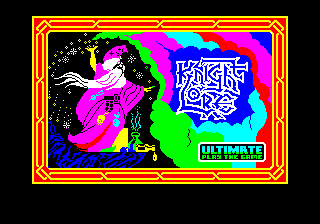
Title screen
UPDATED: now in glorious colour
UPDATED: Correct colours during game play
Next is Z-ordering, then fixing game play bugs.

Panel Review

Got the panel displaying nicely now. Just the border around the main menu to complete, then that's the graphics done except for the title screen.

Panel graphics complete
The scrolls and the frame comprise a complete bank of FIX layer tiles covering the bottom 8 lines of the screen. I patched the Knight Lore C source code to display only these elements of the panel, with some extra flood fills for masking around the frame so it doesn't have the same issue with the other C ports, namely the sun showing on the left of frame. Then updated the graphics conversion tool to generate the FIX layer tiles, and it's good to go.

The lives graphic, objects carried and sun/moon are all sprites that appear through the FIX layer panel's transparency mask. The number of lives, "DAY" and day counter are FIX layer tiles that replace the panel tiles when printed.

It's looking the business now. As mentioned, main menu border, title screen, and sprite Z-ordering to be done. Then there's the issue of the few auto-initialised arrays that need to be copied to RAM for modification by running code so that it plays correctly.

I should be able to add colour to the Neo Geo port quite easily. I'll tackle that when everything else has been sorted.

I'm also considering porting the directional control option from the original source; I'd omitted that until now because it was only ever running on keyboard systems. I'll also have to re-work the menu operation for the Neo Geo if I do that, or simply add a DIPSWITCH option instead.

Monday, 8 February 2016

Const-ant issues

After much head-scratching and reading notes on the devkit I've managed to fix the display issues. There are still problems that I'm not going to be able to solve without making allowances in the core Knight Lore code.

Sprites are now rendered at the correct coordinates
As explained in the devkit notes (which I found at the bottom of a locked filing cabinet stuck in a disused lavatory with a sign on the door saying beware of the leopard) the .data section is discarded on cartridge systems. Fair enough - I simply need to declare constant auto-initialised data as const. Only that doesn't always work. So I had to resort to using gcc's attribute property to specify the segment. Thankfully that was sufficient.

There are still a few data arrays that need initialising, but are also modified by the code. I'll need to define them as const and then makes copies in RAM before the main code runs.

I've hooked up the joystick input and can actually play the game. I need to get Z-order sorted next.

UPDATE: I've added the font to the FIX layer and display the menu and some panel information.


Showing elements from the FIX layer
The last sections to display are the scrolls that delineate the panel and the frame around the sun/moon. For this I'll define a special bank in the FIX layer.

^%$!@#$ compiler issues

Several compiler issues to contend with, including all sorts of issues with const.

But I have managed to get something to appear, and the game is running and animating...

Room #31 - Neo Geo MVS
As earlier in the development phase, there's no Z-order processing atm. But it's still very promising at this stage. The Y-offset on the arches is peculiar...